Art Projector: Learn to Draw
Publisher Description


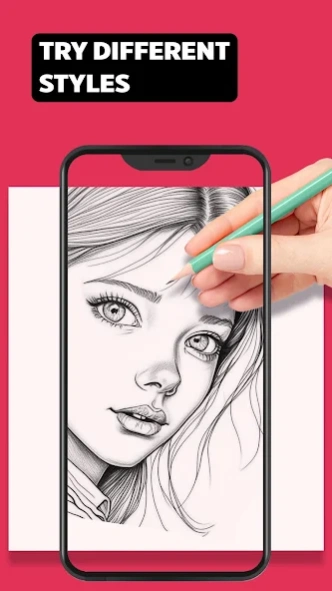
Art Projector: Learn to Draw: simple drawing lessons & transparency tutorials
Art Projector: Learn to Draw transforms your phone into a simple AR tutorial, then ever to learn how to draw step by step on a light box with projector and transparency in half drawing game. This unique AR app is designed for beginners artists who learn how to draw anime with simple drawing tutorials. Draw anime with light box and other pictures with an art projector app. Refine your sketchbook for half drawing game and tracing paper sketching in various themes such as anime, plants, animals, transport, food, etc. You will love art with our projector app with drawing lessons.
At the heart of AR tracing of this app is the concept of using your screen as a light box and art projector without step by step drawing tutorials and lessons. Users can trace AR outlines directly onto sketchbook or paper with transparency. If you want to draw anime characters easy you will use an Art Projector: Learn to Draw with a big art book like trace projector sketching. How to draw step by step with a light box? We will teach in drawing lessons and tutorials you how to draw it simply in half drawing game!
Art Projector: Learn to Draw Features:
- You will learn to draw step by step in a sketchbook with a light box and transparency without tutorials.
- Use simple drawing tutorials to draw anime, flowers, eye color, and animals.
- Learn to draw anime easy and tell your friends about art projector - similar with tracing paper sketching.
- Huge collection of pictures in drawing lessons app for half drawing game.
Learning how to draw anime is made efficient and easy with art projector and transparency. Each project can be tailored to making the process of tracing and coloring. The half drawing game fun and useful functionality acts as a trace sketchbook app, casting images onto any surface, allowing users to learn to draw step by step with simple drawing tutorials.
The sketchbook with drawing lessons within the app is a guide on how to draw step by step with transparency. From half drawing game characters to tracing paper sketching lifelike plants in fun art games with simple drawing lessons. Users can learn how to draw anime, majestic animals, or even dreamy fantasy landscapes, all through the easy method.
Art Projector: Learn to Draw is not just a sketchbook app; it's a learning tool trace projector that promotes creativity with simple drawing tutorials and lessons step by step with transparency. The trace table feature, combined with half drawing game, makes it an useful and easy tool for anyone looking to learn how to draw anime with a projector app. With its user-friendly interface, this app is sure to become a favorite for those passionate about half drawing games and simple drawing lessons and tutorials. And you will find in the projector games the answer to the question how to draw step by step eye color with an art projector app and transparency.
About Art Projector: Learn to Draw
The company that develops Art Projector: Learn to Draw is BarabApps. The latest version released by its developer is 1.0 .
To install Art Projector: Learn to Draw on your Android device, just click the green Continue To App button above to start the installation process. The app is listed on our website since 2026-08-26 and was downloaded 18 times. We have already checked if the download link is safe, however for your own protection we recommend that you scan the downloaded app with your antivirus. Your antivirus may detect the Art Projector: Learn to Draw as malware as malware if the download link to com.barabapps.ar.drawing.sketch is broken.
How to install Art Projector: Learn to Draw on your Android device:
- Click on the Continue To App button on our website. This will redirect you to Google Play.
- Once the Art Projector: Learn to Draw is shown in the Google Play listing of your Android device, you can start its download and installation. Tap on the Install button located below the search bar and to the right of the app icon.
- A pop-up window with the permissions required by Art Projector: Learn to Draw will be shown. Click on Accept to continue the process.
- Art Projector: Learn to Draw will be downloaded onto your device, displaying a progress. Once the download completes, the installation will start and you'll get a notification after the installation is finished.
